

Why audit logs matter
Security investigations
When something goes wrong, trace exactly what happened and who was responsible.
Compliance requirements
SOC 2, HIPAA, and other frameworks require audit trails for sensitive operations.
Team visibility
Know when team members create, modify, or revoke keys — especially in shared workspaces.
Debugging
Figure out why a key stopped working or when a permission was changed.
What’s captured
Every mutation is logged automatically:| Category | Events |
|---|---|
| Keys | Create, update, revoke, delete, verify (failures) |
| APIs | Create, update, delete |
| Permissions | Create, update, delete, attach to key, remove from key |
| Roles | Create, update, delete, assign, unassign |
| Rate limits | Create namespace, update limits, set overrides |
| Workspace | Member added, member removed, settings changed |
Accessing audit logs
- Sign into the Dashboard
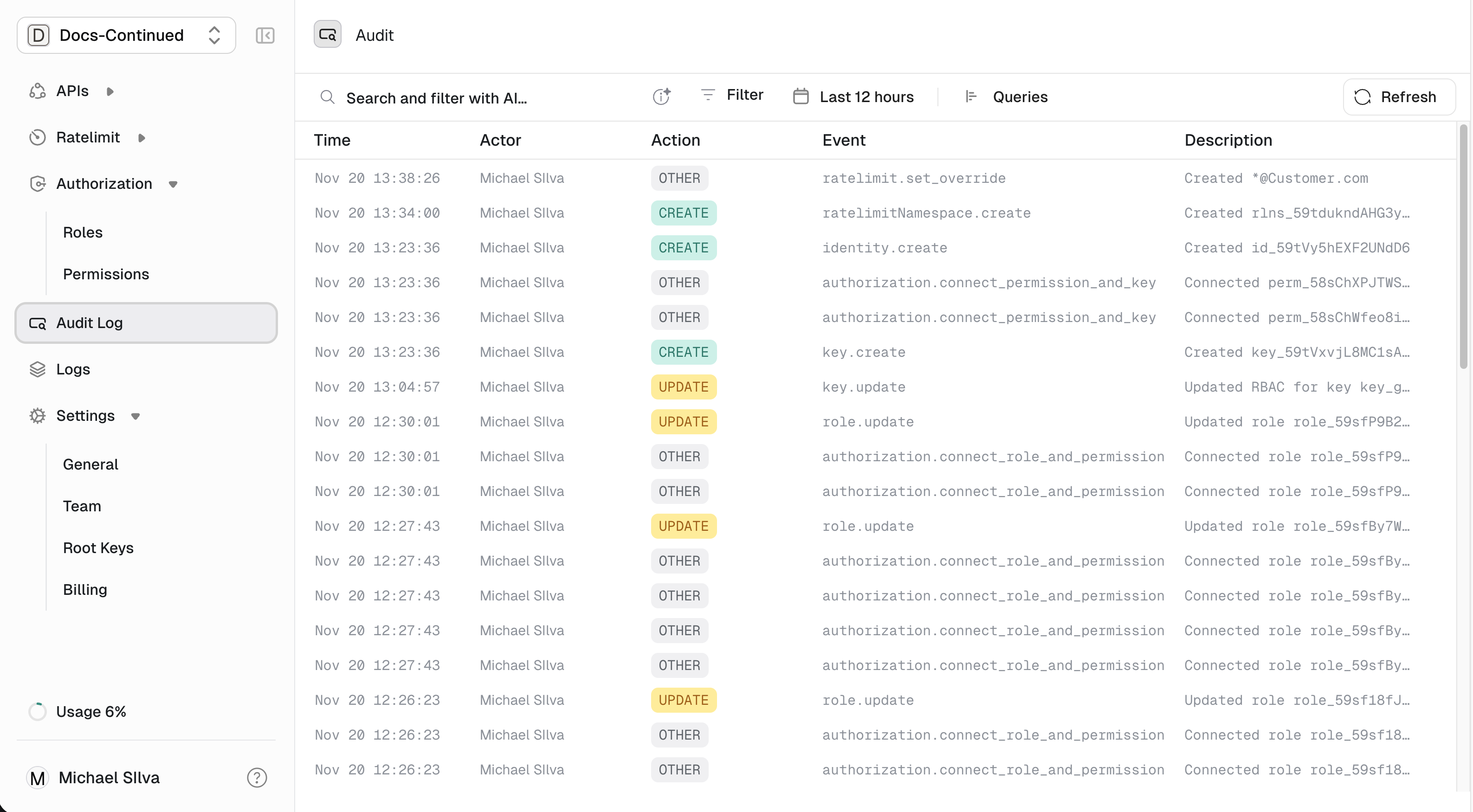
- Click Audit Logs in the left navigation
Reading the log
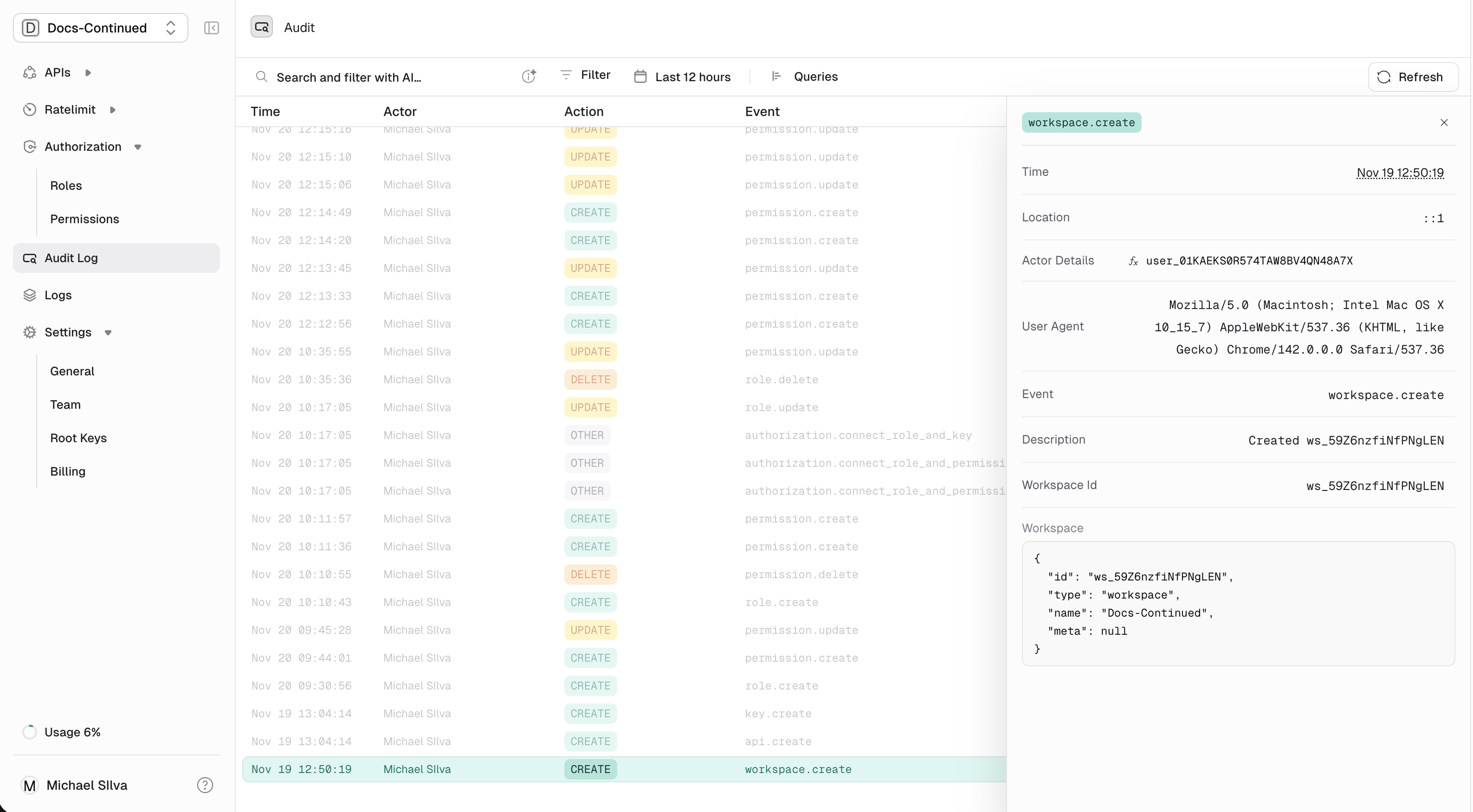
Each entry shows:| Field | Description |
|---|---|
| Time | When the change occurred |
| Actor | Who made the change — a user (dashboard) or root key (API) |
| Action | The operation: Create, Update, Delete, etc. |
| Event | What was affected: key, permission, API, etc. |
| Description | Human-readable summary |
Filtering logs
Use the filters at the top of the audit log page to narrow down:- Event type — Show only key events, permission events, etc.
- Actor — Filter by specific user or root key
- Time range — Focus on a specific period
Retention
Audit logs are retained based on your plan:| Plan | Retention |
|---|---|
| Free | 7 days |
| Pro | 90 days |
| Enterprise | Custom (up to unlimited) |